Kukirin Life Updates and Gameplay Guide: Master the E-Scooter Sim
Stay updated with the latest in Kukirin Life on Roblox. Learn essential tips for earning money, mastering wheelies, and customizing your scooter effectively.
Published: Kukirin Life Wiki Editorial Team
Table of Contents
Understanding Kukirin Life Updates and Gameplay
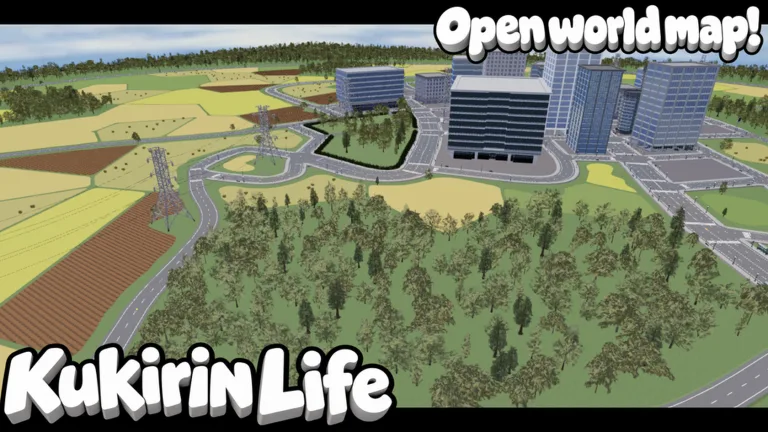
Kukirin Life, developed by Mukbang Lovers, has established itself as a premier e-scooter simulation on the Roblox platform. As the game continues to evolve with frequent updates, players are constantly looking for the most efficient ways to navigate the large map, customize their rides, and maximize their in-game currency. Whether you are a newcomer or an experienced rider, staying informed about the latest mechanics is key to dominating the streets.
The game is currently in a testing phase, which means the developers, fade and noel, are consistently pushing out new content. From varied road layouts to complex customization options, the title offers a deep experience for vehicle simulation enthusiasts. By understanding the core mechanics—such as how to manage your hardware and optimize your scooter—you can significantly improve your performance.
Maximizing Your Earnings and Progression
In Kukirin Life, money is the primary currency used to unlock better scooters and hardware. While the game provides several ways to earn, some methods are far more efficient than others.
Focus on Wheelies: Practice your wheelies in open, low-traffic areas. The longer your wheelie, the higher your reward.
Upgrade Your Ride: Visit the dealership to purchase higher-tier scooters. While some premium options require Robux, many excellent models can be bought with in-game currency.
Customize Hardware: Open crates to obtain better batteries and parts. Note that while some crates offer great gear, they operate on a randomized system, so manage your spending wisely.
Claim Achievements: Regularly check your settings menu to claim pending achievements and daily rewards, which serve as a steady stream of income.
Pro Tips for Advanced Riding
One of the most common challenges for players is maintaining control during high-speed maneuvers. According to community experience, the "no hands" glitch (or technique) is the most reliable way to achieve record-breaking wheelies. By activating the no-hands mode and holding the 'W' key, your scooter remains significantly more stable, allowing you to travel long distances without tipping over.
Tip
Invest in a Wheelie Bar: If you find yourself consistently crashing while attempting stunts, prioritize equipping a wheelie bar. This component acts as a safety net, preventing you from falling backward when you tilt too far, which is essential for grinding long-distance stats.
Customization and Managing Police
Customization is a pillar of the Kukirin Life experience. Beyond just swapping scooters, you can head to the decals section to personalize your bike's appearance. Furthermore, upgrading your software and hardware is vital for speed. While hardware upgrades often come from crates, keep in mind that these are essentially a form of gambling; focus on your core scooter stats before spending all your hard-earned money on randomized loot.
For those who prefer a relaxed, non-competitive experience, the game offers a built-in toggle for police interaction. If you find the police chases distracting while you are trying to complete specific challenges or practice your riding skills, you can simply go to the Settings menu and turn off the police difficulty. This will remove the police entirely, allowing you to focus purely on your speed and handling.
Can I get free Robux or items from creators?
While some content creators may run giveaways, always be cautious. The safest way to play is by using the official game mechanics provided by Mukbang Lovers.
How do I join the community group for rewards?
Often, games offer bonuses for joining their Roblox group. Check the game's main page description or the in-game settings menu for links to the official group to claim any available group-exclusive rewards.
Is the game suitable for all ages?
The game is marked with "Minimal" maturity, making it generally suitable for a wide range of players. Always monitor your account settings if you are a younger player.