How to Join the Kukirin Life Discord Server for Updates and Codes
Learn how to access the official Kukirin Life Discord server to get the latest game updates, redeem codes, and connect with the Mukbang Lovers community.
Published: Kukirin Life Wiki Editorial Team
Table of Contents
Navigating the Kukirin Life Discord Community
For players dedicated to mastering the streets in Kukirin Life, staying connected to the developer's communication channels is essential. The Kukirin Life Discord server serves as the primary gateway for community engagement, providing a dedicated space for players to access update logs, report bugs, and view the latest game codes. Unlike many other Roblox titles, the developer, Mukbang Lovers, keeps the server streamlined, focusing on direct communication rather than excessive, cluttered channels.
Joining the community ensures you are never out of the loop regarding new features. Whether you are looking to optimize your scooter’s performance or simply want to engage in the "cop vs. driver" gameplay meta, the server provides the most accurate information directly from the development team. It is the most reliable resource for tracking game changes that might affect your current vehicle setup or currency farming strategies.
How to Get Started with Kukirin Life
Before diving into the community channels, you must ensure your Roblox account is properly linked to the developer’s ecosystem. The process is straightforward but requires a specific order of operations to ensure you can claim rewards and participate in the community effectively.
Join the Developer Group: Navigate to the official Mukbang Lovers Roblox Group and click "Join Group." This is often a prerequisite for claiming specific in-game rewards.
Launch the Game: Open Kukirin Life on the Roblox platform.
Locate the Settings: Once in-game, find the "Menus" button on the left side of your screen.
Redeem Codes: Select the "Codes" button within the settings menu to input any active codes you have found via the Discord server or other official announcements.
Why the Discord Server Matters for Your Progress
In Kukirin Life, the difference between a standard scooter and a high-performance machine often comes down to how much cash and how many crates you have acquired. The Discord server is the most efficient place to find these codes, which are frequently updated to reward the player base.
Strategic Advantages of Joining
Real-time Notifications: Get pinged immediately when a new update drops, allowing you to be among the first to test new scooter customizations.
Bug Reporting: Encountering a glitch while cruising the map? The server provides a dedicated bug report channel, ensuring the developers are aware of issues that might hinder your gameplay.
Community Feedback: Use the suggestions box to share your ideas for new scooter models or map features. The developers frequently look here to gauge what the community wants next.
Tip
Always check the "Codes" channel on the Discord server before searching third-party sites. Community-sourced codes are often verified by other players, saving you time from trying expired or incorrect strings.
Common Gameplay Tips for New Players
Beyond social interaction, the game itself demands a bit of strategy. Since Kukirin Life is not just about driving, but also about the interplay between police and civilian players, understanding the mechanics is key.
Optimization and Customization
To turn your regular vehicle into a flashy, high-speed machine, you need a steady supply of cash. Utilize the active codes found in the Discord announcements to get a head start. Use these rewards to customize your scooter’s aesthetics and performance stats.
The "Cop vs. Driver" Dynamic
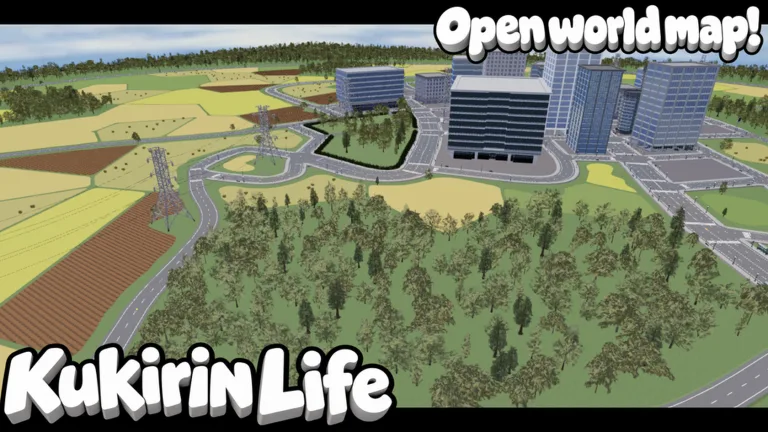
The game features a unique social dynamic where players can choose to play as police to chase down reckless drivers. If you find yourself being chased, mastering the map's shortcuts is essential. Players often discuss these shortcuts within the Discord community, so don't hesitate to ask for tips on how to navigate the map more effectively.
[ ] Ensure you have joined the Mukbang Lovers group on Roblox.
[ ] Verify that your Discord account is linked to your browser or app for seamless access.
[ ] Keep an eye on the "update logs" channel for patch notes that might change scooter speed or handling stats.
[ ] Participate in the "suggestions" channel to help shape the future of the game.
FAQ: Frequently Asked Questions
Are there any expired codes I should worry about?
According to recent community reports, there are currently no expired codes for Kukirin Life. However, this can change rapidly with game updates, so keeping an eye on the Discord server is the best way to ensure you only use active codes.
Do I need to be in the Discord to play the game?
No, you can play the game without joining the Discord server. However, you will miss out on exclusive update information, community-led tips, and the fastest way to stay updated on new, active codes.
What should I do if a code doesn't work?
First, double-check that you have joined the Mukbang Lovers Roblox group, as this is often a hidden requirement for code redemption. If you are already in the group and the code still fails, check the Discord’s official "codes" channel to see if it has been marked as expired by the developers.